The hiring manager wants to talk about a project you finished five years ago. You remember it worked. You can't remember how much.
The old laptop is gone. Your review sits inside a former employer's system. The names, dates, and numbers have started to blur. Your résumé has one polished sentence that says almost nothing.
A career evidence library is a private, organized set of records that helps you remember and verify your work. You may have seen part of this called a brag document, wins file, career journal, or accomplishment tracker. The name matters less than the habit.
The library gives you a safe place to keep the facts behind your work. Build it before time, a job change, or lost access turns clear proof into a vague memory.
Key takeaways
- Your résumé is a short marketing document, not a complete record of your career.
- Save evidence while the names, dates, numbers, decisions, and outcomes are still clear.
- Keep only records you're allowed to retain, and remove confidential company or customer information.
- Verify each fact before it becomes a résumé claim or interview story.
- AI can organize evidence, but it can't confirm facts it was never given.
Direct answer
A career evidence library is a private, organized collection of records that helps you remember and verify your work. It may include performance reviews, awards, promotion notes, project summaries, recommendations, approved work samples, certifications, and older résumés.
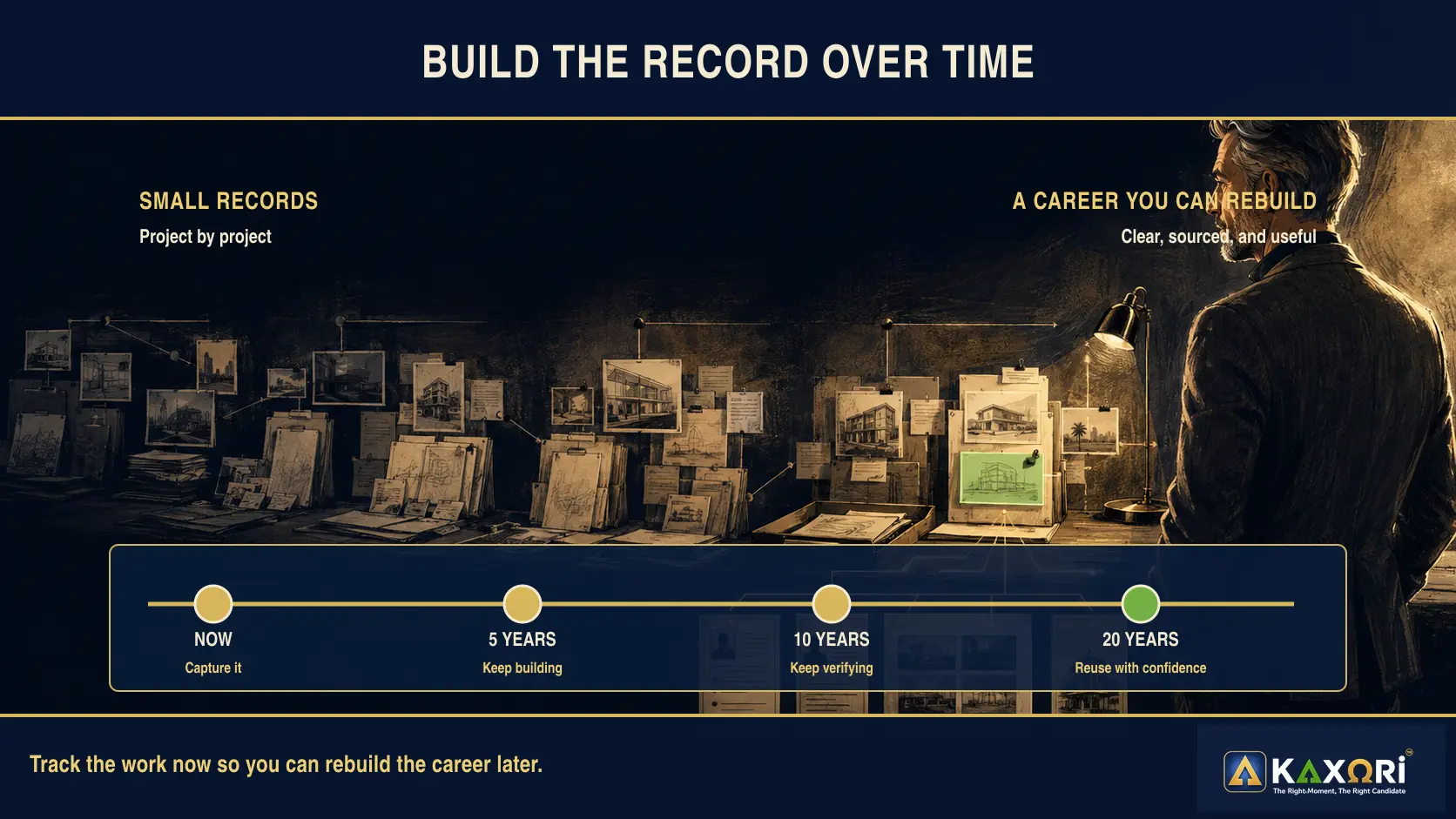
It gives you reliable source material for future résumés, interviews, and job applications. Over a career that spans five, 10, 15, or 20 years, those records can help you rebuild work that would otherwise be hard to remember.
It shouldn't become a secret archive of company information. Keep only material you're allowed to retain, protect personal records, and remove confidential details before reuse. When you can't keep the original file, write an accurate summary in your own words.
In this guide
- Why your résumé can't hold your whole career
- The access problem nobody plans for
- Résumé, portfolio, brag document, or evidence library?
- What to save in a career evidence library
- What not to save in a career evidence library
- The four-step method: Find, Capture, Verify, Reuse
- How to organize a career evidence library
- How to turn one record into career proof
- How AI can help without changing the facts
- Start with one project, not your whole career
- Frequently asked questions
Why your résumé can't hold your whole career
A résumé has to be selective. It can't hold every project, client problem, process improvement, presentation, award, system, team, lesson, or result from a long career.
That selectivity is useful when you're applying for one job. It's risky when the résumé becomes the only record you keep.
MIT Career Advising and Professional Development advises candidates to record factual accomplishments and contributions instead of listing responsibilities alone. Berkeley Career Engagement similarly recommends generating accomplishment lists, focusing on outcomes, and connecting achievements to skills an employer needs.
Both ideas depend on source material. If you wait until a job appears, you may remember the headline but lose the details that make the work credible.
A memory study helps explain the risk, with an important limit. In the first of three small laboratory studies, young adults watched 23-second film clips. After seven days, central details had declined by about 28%, while supporting details had declined by about 65%. The study wasn't about careers, and those percentages don't predict what you'll remember from work. Both kinds of details faded. The supporting details faded faster.
The third study found something more useful. Participants recalled all 40 clips soon after watching them, then recalled parts of them again over the next seven days. The researchers found no significant decline over time. The observed losses were about 5% for central details and 11% for supporting details.
That doesn't prove a project note will protect your career memory. It does support a practical habit: recall the work while it's fresh. A one-page project closeout note turns that early recall into a record you can use years later.
A useful project note explains the problem, what you personally owned, who else contributed, and what changed. It also records how the result was measured and which dates, tools, locations, teams, or budgets defined the scope.
Do not stop at the result. Note where each number came from and which record could confirm it later. That source trail is what turns a memory into evidence you can trust.
Your résumé may use only one or two lines from that history. Your evidence library protects the fuller record.
Don't wait for memory to do all the work. Start with one project you may need to explain again.
The access problem nobody plans for
Most people build this file after they need it. That's backward. The day you need the proof may be the day you can no longer reach it.
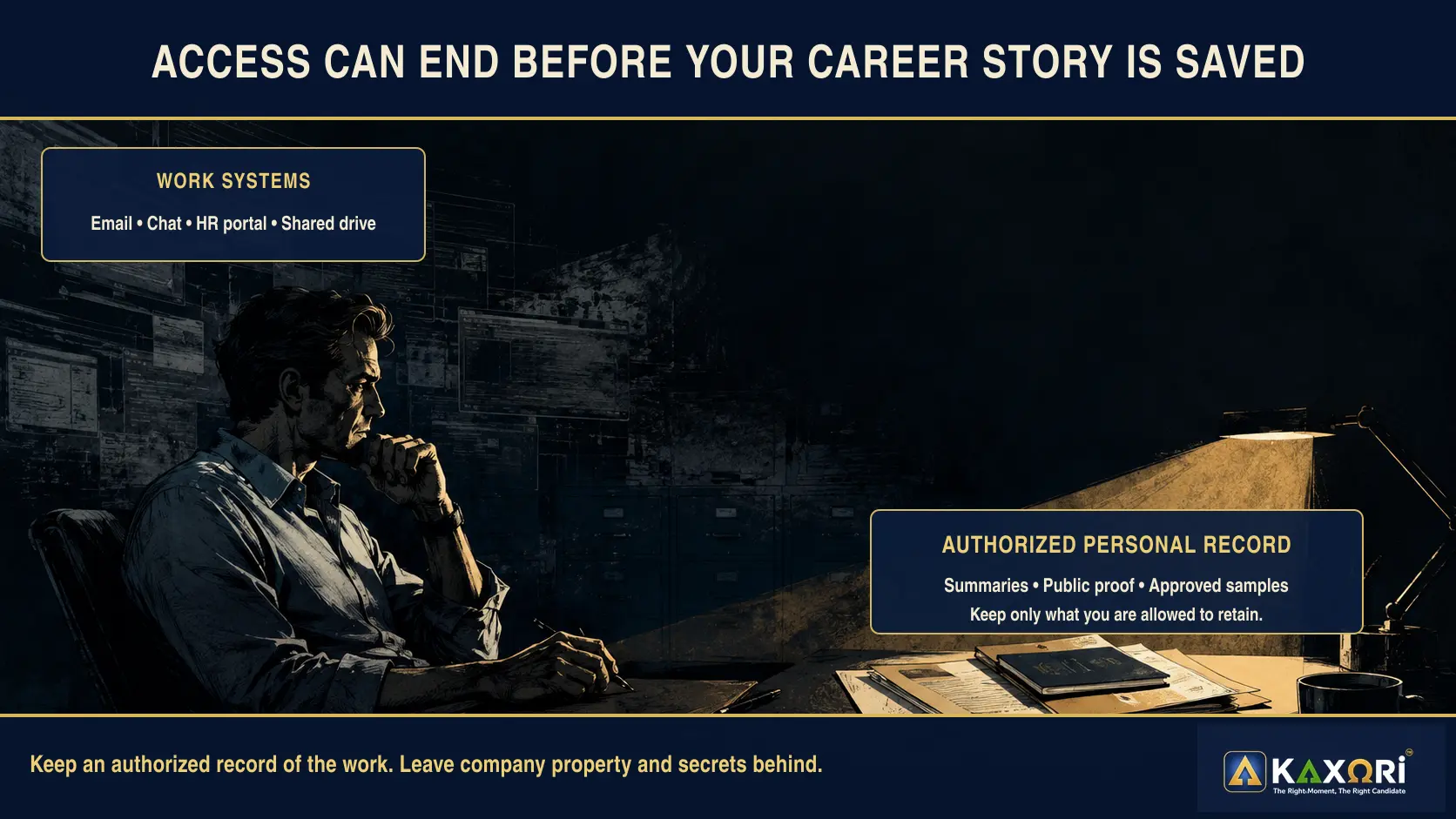
When a role ends, access can end quickly. Your work email, chat history, human resources portal, review archive, shared drives, and project files may no longer be available. That doesn't give you permission to take company property. It means you should build a lawful, private record while the details are fresh.
The goal isn't to copy every file you touched. Keep an authorized hard copy, public link, approved sample, or secure summary of work you can rightfully document. Record the project, your role, what changed, and the source behind each number.
Before your last day, or during a regular career checkup, request a personal copy of your latest review through the proper channel. Save certifications from the issuing organization's portal instead of relying only on a company system. Preserve LinkedIn recommendations and contact details people chose to share.
For major projects, write a one-page summary in your own words and note the source behind each date, number, role, and result. Ask before keeping or showing a work sample, and store only authorized records somewhere you control.
Don't wait for a layoff, resignation, reorganization, or system change. A 15-minute monthly update is safer and easier than trying to rebuild years of work under pressure.
The record is for your memory. It isn't permission to publish or share confidential information. Some details may need to stay private forever.
Résumé, portfolio, brag document, or evidence library?
These tools overlap, but they don't do the same job.
| Tool | Main purpose | Main audience | What it contains |
|---|---|---|---|
| Résumé | Show relevant fit for one role | Employers and recruiters | Selected skills, work, results, and credentials |
| Portfolio | Show finished work | Employers, clients, or peers | Approved samples, case studies, and public work |
| Brag document or wins file | Track accomplishments over time | You, and sometimes your manager | Wins, contributions, impact, praise, and lessons |
| Career evidence library | Preserve facts and supporting records | Mainly you | Project notes, sources, reviews, credentials, approved samples, and verification status |
Julia Evans's 2019 guide to brag documents helped make the term widely known. She describes a living record of accomplishments that can support reviews and career reflection. A Kaxori career evidence library is broader. It also tracks sources, permission limits, and facts that still need review.
What to save in a career evidence library
Keep older résumés, accurate job titles, and employment dates in your career timeline. Then build the evidence behind that history with six practical record types.
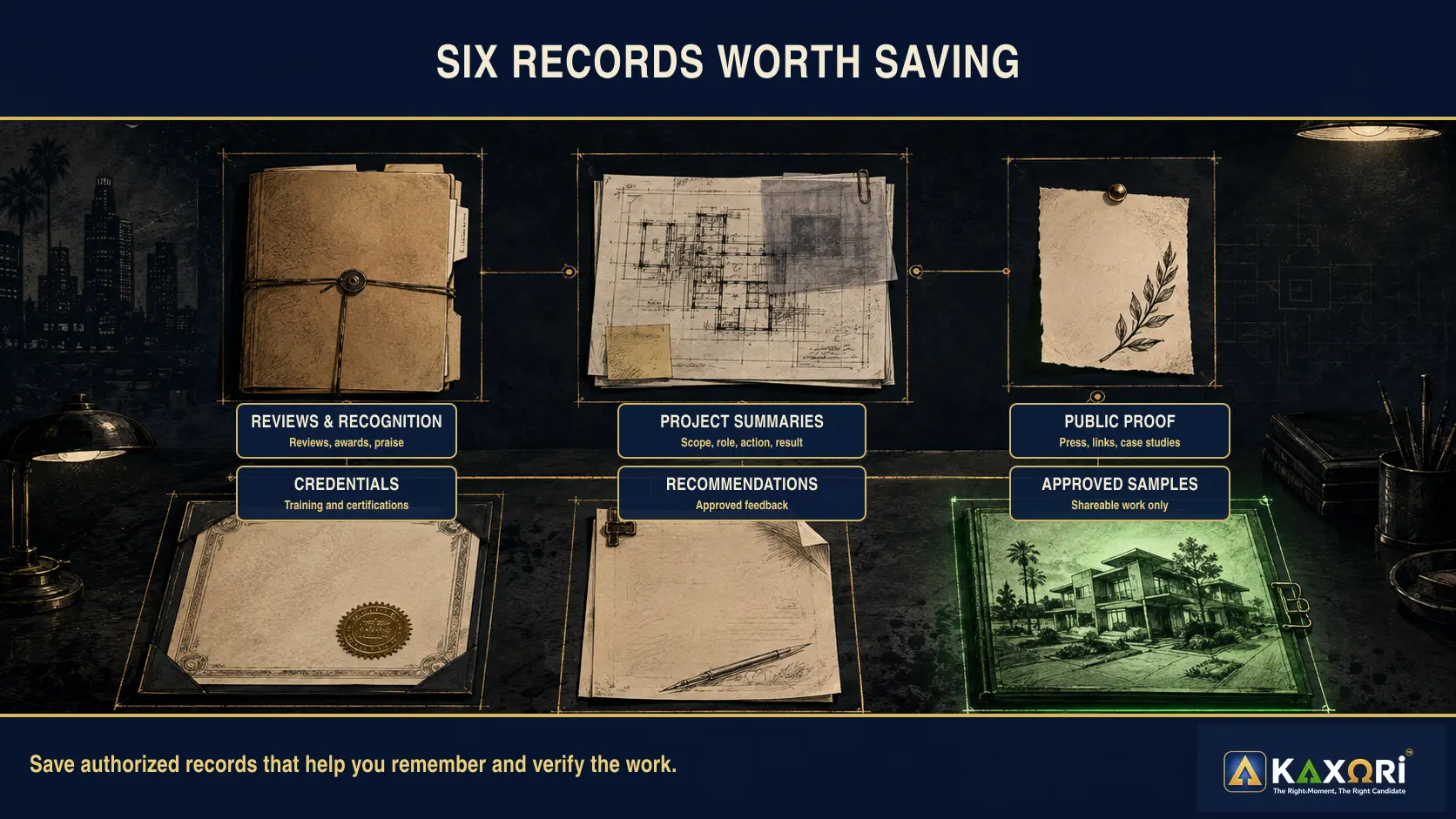
Begin with reviews and recognition. Keep performance reviews you were allowed to retain, along with promotion, award, and recognition notes. These records often preserve how other people described your contribution at the time.
Add project summaries and public proof. Write short summaries in your own words that capture scope, dates, tools, decisions, results, your contribution, and the source behind each number. Pair them with public press releases, campaign links, published case studies, talks, publications, or volunteer leadership when those sources are relevant.
Round out the record with credentials, recommendations, and approved samples. Certifications, licenses, training records, LinkedIn recommendations, reference letters, and authorized feedback can support your history. Include portfolio pieces, public work, and sanitized samples only when you own them or have permission to share them.
Berkeley's résumé guidance recognizes projects and portfolios as ways to demonstrate expertise. The key is permission and context. A public campaign link is different from an internal strategy deck. A sanitized sample is different from a customer file.
What not to save in a career evidence library
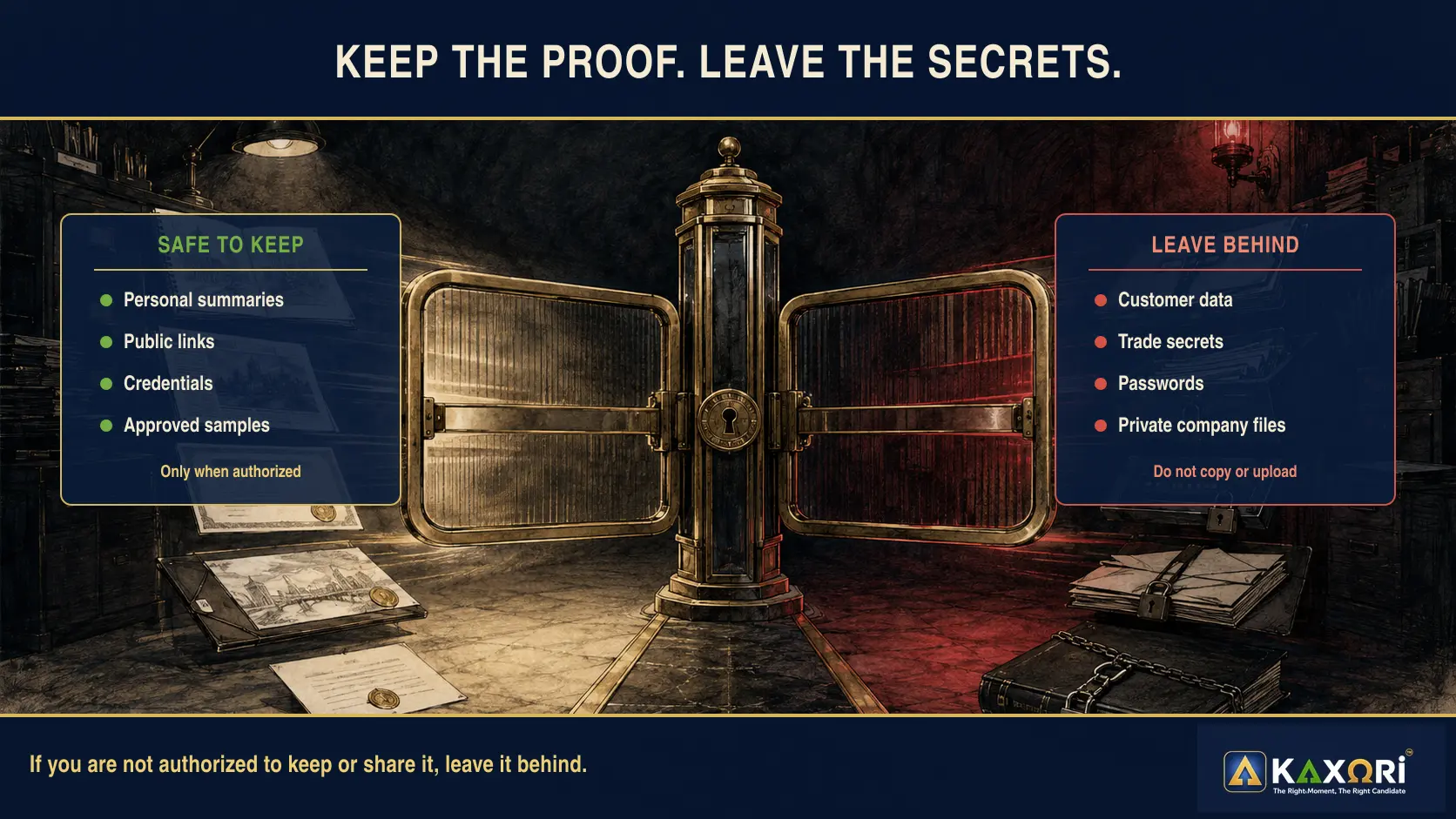
A career evidence library belongs to you. That doesn't mean every file you touched at work belongs in it.
Don't save or upload customer, patient, or employee records; trade secrets; confidential reports or pricing; passwords; private contracts; source code; unreleased plans; or unauthorized work samples.
When in doubt, write a short factual note in your own words. Record your role, the general problem, your action, and a result you can safely describe. Remove names, private numbers, and identifying details.
Protect the records you keep. The Cybersecurity and Infrastructure Security Agency recommends device protection, backups, and encryption for stored data. Use strong account security and keep a backup that you can recover.
Your evidence library should make your career easier to explain. It shouldn't create a privacy, legal, or ethical problem.
The four-step method: Find, Capture, Verify, Reuse
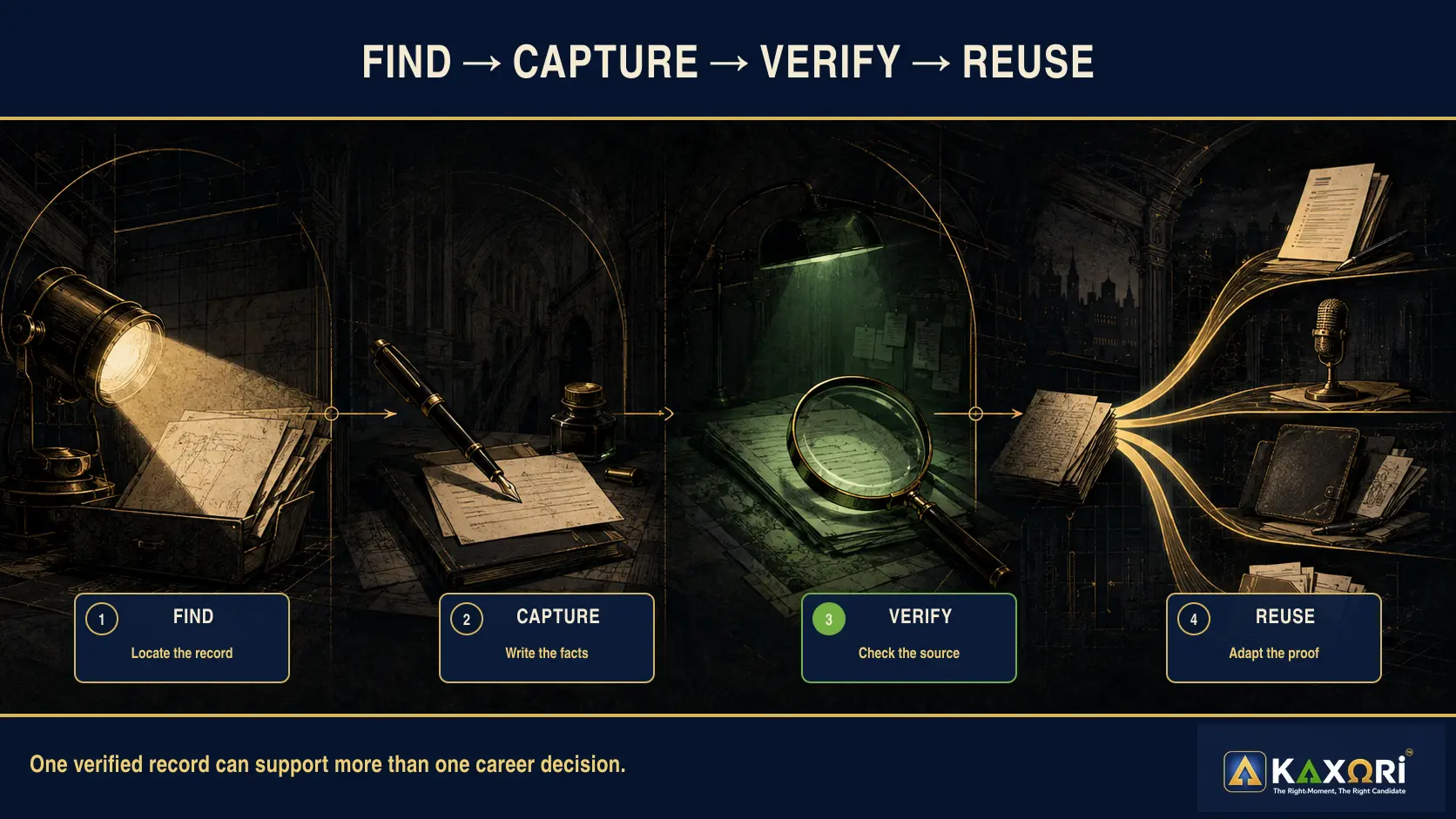
The process has four parts.
1. Find
Look across personal files, email you have a right to access, public websites, LinkedIn recommendations, certification portals, published work, previous résumés, approved performance records, and project notes.
You're looking for memory triggers and supporting facts, not a pile of every file you've ever touched.
Capture the project soon after it ends. Recalling the details early may help preserve information that becomes harder to recover later.
2. Capture
Create a short record for each useful project or accomplishment.
Capture the role, organization, date, problem, your responsibility, action, people involved, result, verified measures, source, and privacy limits.
If you aren't sure about a number, mark it as unverified. Don't round it upward or let AI fill the gap.
3. Verify
Before using a detail, confirm the date, title, ownership, measurement period, source, and permission to disclose it. Make sure another person can understand your contribution without assuming you did everything.
If the evidence is incomplete, narrow the claim. Accurate scope is stronger than dramatic language you can't defend.
4. Reuse
One verified record can do more than produce a résumé bullet. The same facts can become a cover letter example, a behavioral interview story, a LinkedIn accomplishment, or a portfolio caption.
Years later, that record may also support a reference conversation, a promotion discussion, or a future career decision. You are not creating eight different stories. You are adapting one trustworthy source to the question in front of you.
MIT's STAR interview guidance emphasizes truthful, specific examples of past behavior. A well-kept evidence record gives you the raw material for those examples before interview pressure arrives.
Reuse doesn't mean copying the same paragraph everywhere. It means returning to the same verified facts and adapting them for a different audience.
How to organize a career evidence library
Use a system you'll actually maintain. A complicated structure that you abandon isn't useful.
Start with a Career Timeline for titles and dates, then use Projects and Accomplishments as the working center of the library. Give Performance and Recognition, Credentials and Training, Approved Work Samples, and References and Recommendations their own folders so each record has an obvious home.
Keep past documents under Résumé and Application Versions. Put uncertain dates, numbers, ownership details, or permission questions in Needs Verification instead of allowing them to blend into confirmed facts.
Name files the way a person would recognize them later. For example, Product Launch Project Summary - 2025.pdf is readable at a glance and still searchable by project, document type, and year. Consistency matters more than packing every label into the filename.
For each major project, add a plain-text summary. That summary may be more useful than the original document because it can explain context, ownership, proof, and disclosure limits in your own words.
Think of each summary as a hard-copy memory, even when you store it digitally. Years later, it should tell you what was happening, what you owned, who worked with you, what changed, which numbers you can prove, and what you may safely use or share.
Three simple status labels keep the boundary clear. Verified means the fact and source are clear. Needs review means a date, number, ownership detail, or permission question remains. Private means the record can help your memory but should not be published or uploaded.
How to turn one record into career proof
Example source note
Project: Regional customer onboarding redesign
Date: 2023
Problem: New customers received conflicting instructions from sales, operations, and support.
My role: Led the cross-functional redesign and owned the weekly decision process.
Action: Mapped the handoffs, assigned owners, and created one launch checklist.
Result: Reduced duplicate steps and gave each team one approved workflow.
Evidence: Approved project plan and manager's performance-review note.
Limit: Don't disclose customer names or internal performance data.
Possible résumé bullet
Led a cross-functional onboarding redesign across sales, operations, and support, clarifying handoffs and creating one approved launch workflow.
The bullet doesn't invent a percentage. It doesn't claim sole credit. It uses the source note to show real work and accurate ownership.
The same source note could support an interview answer about collaboration, process improvement, customer experience, or change management.
How AI can help without changing the facts
AI can sort notes into categories, find repeated themes, turn a long project summary into shorter options, and compare supported experience with a job description. It can also identify missing context, suggest follow-up questions, and build an interview practice outline.
AI cannot independently confirm whether the work happened, a number is accurate, you owned the result, or a file was safe to retain. It also cannot decide whether an employer will accept a claim or whether disclosure violates an agreement or company policy.
MIT's guidance on AI-assisted résumé work describes AI as a tool that can help compare résumé language with a job posting. The candidate still needs to guide the task and review the result.
That distinction matters. Better writing can't repair missing facts. Stronger adjectives can't replace evidence.
Kaxori can help organize and compare the supported experience you provide. You remain responsible for every title, date, number, tool, relationship, result, and claim.
Give AI better source material before asking for better writing.
Start with one project, not your whole career
You do not need to organize decades of work before this becomes useful. Begin with one recent project you may need to explain in a résumé, interview, performance review, or career conversation.
Choose one project you remember clearly
Choose one project you remember clearly. Starting with recent work makes it easier to separate what you know from what still needs verification.
Write the facts while they are fresh
Write down the problem, your role, who worked with you, what you did, what changed, and how you know. Keep the language factual and specific enough that you can understand it later.
Add only proof you may keep
Add only supporting records you are authorized to keep. A review, public link, approved sample, certification, or note from a manager can help, but the project summary should still make sense on its own.
Mark boundaries and store it securely
Mark uncertain facts as needing verification and identify anything that must remain private. Store the note securely, then repeat the process after future projects while the details are still fresh.
One accurate project record is enough to make the library useful. Build from there.
Frequently asked questions
What is a career evidence library?
It's a private collection of records that helps you remember and verify your work. It can support future résumés, interviews, portfolios, and career decisions.
Is a career evidence library the same as a portfolio?
No. A portfolio shows selected work to other people. An evidence library is broader and often private. It may include notes, reviews, dates, and source records that aren't meant to be shared.
Should I save confidential work files?
No. Keep only what you're authorized to retain. Leave out customer data, trade secrets, private contracts, passwords, and restricted files.
What if I can't verify an old number?
Mark it as unverified. Look for a reliable source. If you still can't confirm it, narrow the claim, describe honest scope without the number, or leave it out.
Can I upload my evidence library to AI?
Review every file first. Remove confidential, customer, personal, and proprietary information. Upload only what you're authorized and comfortable sharing.
How often should I update the library?
A brief monthly update is easier than rebuilding years of work during a job search. Add major projects, recognition, credentials, and verified outcomes while the details are still clear.
Can Kaxori verify my career facts?
No. Kaxori can help compare and organize the evidence you provide. It can't independently confirm private career facts, employer records, numbers, ownership, or outcomes.
Final action
Your strongest career proof may already exist. It may be sitting in an old review, a public project, a certification portal, or a note you wrote after a difficult launch.
Choose one project tonight. Create a safe record of what the company needed, what you did, what changed, and what proves it. Mark anything that must stay private or still needs verification.
Then use those supported facts when you're ready to compare your experience with a real opportunity.
Sources and evidence notes
- MIT Career Advising and Professional Development, Résumés. Supports recording factual accomplishments and contributions rather than responsibilities alone.
- Berkeley Career Engagement, Résumés. Supports generating accomplishment lists, focusing on outcomes, quantifying when possible, and aligning achievements with target skills.
- Berkeley Career Engagement, Sample Résumés. Supports projects and portfolios as ways to communicate skills and expertise.
- MIT Career Advising and Professional Development, STAR Method for Behavioral Interviews. Supports preparing truthful, specific examples of past behavior and results.
- MIT Career Advising and Professional Development, AI Uses for Résumé Writing. Supports using AI to compare résumé content with job-posting language while requiring candidate direction and review.
- Cybersecurity and Infrastructure Security Agency, How to Protect Data Stored on Your Devices. Supports device protection, backup, and encryption guidance.
- Julia Evans, Get Your Work Recognized: Write a Brag Document. Supports the term “brag document” and the practice of keeping a living record of accomplishments. It doesn't establish a universal format or replace Kaxori's evidence and permission controls.
- Sekeres and colleagues, Recovering and Preventing Loss of Detailed Memory. Supports the narrow findings that detail loss differed across three small laboratory studies involving brief film clips and young adult participants, and that immediate retrieval in Study 3 was followed by much lower observed loss. Study 3 tested active recall, not career documentation or note-taking. The article doesn't claim that these percentages predict workplace memory.